Rainy Day Isn't a Screensaver
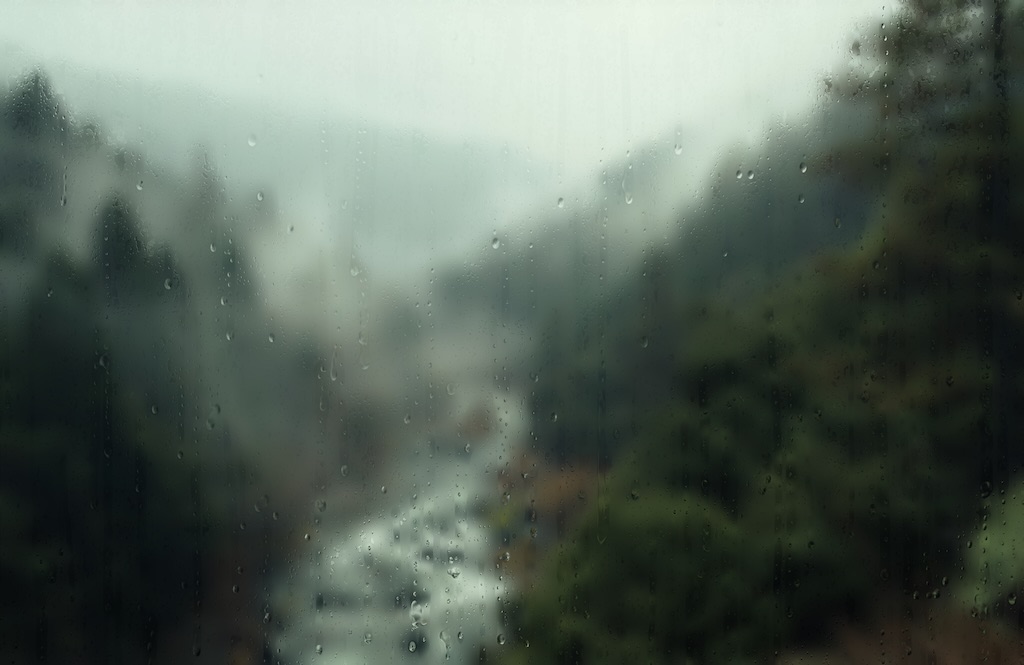
Rainy Day shipped this past weekend. It puts photo-realistic rain on your desktop after a few minutes of idle time — the kind of slow, ambient rendering you’d expect a screensaver to do. The product page lists it on the Screensavers shelf. The activation flow, the user mental model, the place it occupies on the website — everything about it says “screensaver.”
The bundle on disk says something else. Rainy Day.app. Regular .app extension. No .saver bundle anywhere. It installs to /Applications like a normal application, registers itself as a login item, and waits in the menu bar until your Mac goes idle. When it activates, it does the screensaver thing. When you move the mouse, it does the dismiss thing. But strictly speaking, macOS doesn’t know it’s a screensaver at all. As far as the operating system is concerned, it’s just an LSUIElement app that happens to put fullscreen windows up sometimes.
This post is about why.
The plan, originally
When I started Rainy Day I assumed it would be a .saver bundle. I’d shipped two screensavers that way already — Reverie and ASCII Saver — and I’d written about why I still think screensavers matter. The .saver route is the orthodox path: subclass ScreenSaverView, override animateOneFrame(), drop the bundle into ~/Library/Screen Savers/, and it appears in System Settings. The OS handles activation, deactivation, hot corners, the preview rendering, the configuration sheet. Your code just draws.
That works fine when your code can actually draw. Reverie’s rendering is roulette curves on a CALayer — standard API, no surprises. ASCII Saver hits the camera through an out-of-process helper agent, but the rendering itself is also boring AppKit: a grid of characters drawn into the view. Neither one needs anything the legacyScreenSaver host process — the system process that loads .saver bundles — refuses to give it.
Rainy Day was supposed to use raindrop-fx, a beautiful WebGL library that renders rain on a transparent canvas with proper light refraction through the droplets. The rendering pipeline is WebKit + WebGL, hosted in a WKWebView, with photographic background images blurred behind the canvas. The first version of Rainy Day was a .saver bundle hosting a WKWebView. It worked perfectly. For about four seconds.
The wall
What I learned over the following session, roughly in the order they bit me:
WebContent suspends within seconds of activation. legacyScreenSaver flags everything it hosts as a background view, and macOS’s memory management aggressively suspends the WebContent process behind any background WKWebView. The rain starts falling, runs for a few seconds while the system is still deciding whether you mean it, and then freezes. Subsequent reactivations get a still frame until WebContent decides to wake up again. Sometimes that’s seconds. Sometimes it’s minutes. There is no API to opt out.
The escape hatch was removed in macOS 26. WebKit has an SPI called _alwaysRunsAtForegroundPriority that, until last year, did exactly what its name implies — tell the system to leave this WebContent alone. It’s still in the headers, you can still set it, and it does nothing. Apple removed the implementation when they overhauled the WebContent lifecycle in macOS 26, presumably because the property always smelled like a hack. The headers haven’t caught up. You can spend an afternoon, as I did, convinced you’ve found the magic switch, before discovering it’s a dead one.
CARenderer returns blank frames for WebKit content. With WebContent suspended, I tried rendering offscreen and pushing the result into the saver view manually. CARenderer can snapshot a Core Animation layer tree into an IOSurface, which I could then paint into the screensaver view at whatever frame rate I liked. Except CARenderer doesn’t follow remote layer hosting into WebContent’s GPU process. It captures the local layer backing store, sees nothing there, and returns black.
WKWebView.takeSnapshot returns blank for WebGL. Same problem, same root cause. The snapshot API grabs whatever’s in the layer backing store. For 2D content (text, images, Core Graphics) that works fine. For WebGL, the actual pixels live in a GL framebuffer that’s never composited into the layer backing — the compositor reads it directly. takeSnapshot doesn’t know how to ask the GPU process for those pixels, so it returns black for the canvas region.
ScreenCaptureKit hits an occlusion edge case. Right, I thought, fine. I’ll spawn a separate non-saver helper window off-screen that hosts the WKWebView, let that render at full priority, and use ScreenCaptureKit to capture the helper window into the saver view. This nearly worked. The helper rendered correctly. SCK happily streamed frames from it at sixty hertz. Then the saver activated, covered every display, and SCK’s occlusion logic kicked in — because the helper window was now fully covered by the saver, SCK classified it as occluded and stopped delivering frames. There’s no flag for “capture this even if it’s covered.” SCK at desktopWindow level zero-frames any window the saver covers, by design, because the assumption is you’re capturing things the user can actually see.
Multi-instance lifecycle thrash. System Settings doesn’t just preview a .saver — it spawns several instances of your view class at once. There’s the small thumbnail in the saver list. There’s the larger preview when your saver is selected. There’s a separate instance per display when you click Preview. Each one calls init, then deist, in whatever order the framework feels like. For a stateless drawing saver, that’s fine. For anything that owns a helper process, a capture stream, or any expensive resource, you spend each transition fighting the previous instance’s teardown to make sure your new instance can set up cleanly. The bug surface here is enormous and most of it is invisible until a user opens System Settings.
Ad-hoc signing breaks TCC grants every rebuild. During development I rebuild dozens of times a day. The screensaver host process inherits permission grants — accessibility, screen recording — from the parent bundle, indexed by the binary’s code signature. Ad-hoc signing produces a new hash on every rebuild, which macOS interprets as a new app, which means every rebuild starts with all permissions revoked. You can paper over this with a stable team signing identity during dev, but the friction is real and the failure mode is silent. You launch the saver, the screen capture doesn’t work, and you waste twenty minutes wondering why your code broke before you remember to re-grant the permission.
That’s the list. Each one took a session to discover, a session to understand, and a session to admit there was no workaround that would survive contact with real users. Cumulatively, several days of work, none of it leaving anything behind but a slightly deeper understanding of where the .saver sandbox stops.
The pivot
I sat with this for a while. The honest summary was: legacyScreenSaver’s sandbox is fine for a saver that does standard 2D drawing into an NSView. The moment you want to host a serious rendering pipeline — WebKit, WebGL, Metal, a video decoder, anything with its own process or its own GPU context — you’re asking legacyScreenSaver to do things it was never designed to do, against a system that is actively trying to keep background processes from burning power.
You can fight the system, lose, and ship something that limps. Or you can stop pretending the constraints don’t exist and build the thing as what it actually wants to be: a regular application.
That’s where Rainy Day ended up. The architecture is mundane:
- A regular
.app, signed with the team Developer ID. LSUIElement=YESinInfo.plist, so it’s an accessory app with no Dock icon and no menu bar of its own.- Registered as a login item via
SMAppService.mainApp.register()on first launch. - A menu-bar status item with About / Activate Now / Settings / Check for Updates / Quit.
- A 1Hz timer polling
CGEventSource.secondsSinceLastEventType(.combinedSessionState, …)for idle time. - When idle exceeds the user’s threshold, the app opens one fullscreen
NSWindowper connectedNSScreen, atNSWindow.Level.screenSaver, hosting aWKWebView. - Any mouse or keyboard event in any of those windows tears them all down.
Every constraint of the .saver path falls away.
WebKit runs at full speed because it’s in my app’s process, not legacyScreenSaver’s. There’s no “background view” classification, no aggressive suspension, no need for an SPI escape hatch that doesn’t work any more. WebGL pixels reach the screen via WindowServer’s normal compositing pipeline, the same way any other browser tab’s WebGL reaches the screen — no SCK, no IPC shenanigans, no occlusion edge cases. There’s one process and one lifecycle: preview, fullscreen activation, and per-display rendering are all just “open and close some ordinary windows.” TCC grants persist across rebuilds because my team Developer ID signature is stable. Custom UI — settings window, About modal, global hotkey for Activate Now — is trivial because it’s just AppKit and SwiftUI doing what they do in any other app.
The whole pivot took one afternoon. Most of the code was reusable from the failed .saver attempt — the WKWebView setup, the raindrop-fx integration, the photography handling. What I threw away was the entire scaffold around it: the ScreenSaverView subclass, the configuration sheet, the System Settings integration, all the helper-process workarounds I’d been building to escape the sandbox. None of that has any place in an app that is its own host.
The trade-off
There is one. Rainy Day doesn’t appear in System Settings → Screen Saver, because it isn’t a screensaver. If you’ve set the system saver to Aerial and you want to switch to Rainy Day, you don’t do that from System Settings — you launch Rainy Day, set the system saver to Never, and let Rainy Day handle idle activation directly. There’s a paragraph about this on the product page and a sentence in the welcome dialog. It hasn’t generated any user confusion yet, partly because Jorvik’s audience tends to read the docs, and partly because once you’ve set it up you never think about it again.
The upside of not being in System Settings is that I get to provide my own configuration UI, which is dramatically richer than the .saver configuration sheet would have permitted. Rainy Day’s Settings window has an Activation section with idle threshold and global hotkey, an On Dismiss section with options for what happens when you move the mouse (return to desktop / lock the Mac), a Capture section for the “save current frame” feature, a Backgrounds section with full management of the rotating photography library, and the standard Jorvik General section with Launch at Login. That’s around a dozen controls. The .saver configuration sheet would have given me a modal panel with maybe four. I’d have had to fight the sandbox to do half of what’s in there now.
For users who like keyboard control: every action has a global hotkey, including Activate Now, which means you can trigger Rainy Day at any time with control option command R (or whatever you remap it to). The .saver path can’t do that — global hotkeys require either Carbon’s RegisterEventHotKey from an active process, or accessibility-client status, neither of which fits the saver model.
The wider observation
The interesting thing isn’t the technical detail of any individual friction point. It’s the pattern.
legacyScreenSaver is a system service that Apple ships, maintains in the sense of “keeps compiling,” and clearly hasn’t actually developed in years. The framework around it — ScreenSaverView, the configuration sheet API, the hot-corner activation path — assumes a 2002 rendering model where your saver draws into an NSView with Quartz primitives. Everything that’s been added to macOS since — remote layer hosting, separate GPU processes, aggressive background suspension, TCC, SCK’s occlusion logic — was bolted onto the rest of the system without anyone updating the saver framework to coexist with it. The result is that the API still works for the cases it was built for, and falls down for everything that requires a modern graphics stack.
That isn’t unique to screensavers. There’s a thread of this through several corners of macOS: subsystems that Apple keeps alive but no longer thinks about, where the documented path remains the documented path because nobody has felt strongly enough to deprecate it, but the surrounding system has moved on and the path no longer leads anywhere useful. Login items used to mean a list of .app paths in System Settings; the modern, well-supported way is SMAppService, but the old LSSharedFileList API still compiles. CGSession’s -suspend mode used to lock the screen from code; in macOS 26 the implementation is gone, only the header remains, and you have to drive osascript and trigger an Accessibility prompt to do what one syscall used to do. The seams between “the part Apple still cares about” and “the part Apple maintains but doesn’t love” are everywhere if you go looking.
For an independent developer, the practical question is recognising which side of that seam you’re on early enough to stop wasting time. With Rainy Day the answer came after about three days of fighting the sandbox. If I’d known what I know now I’d have skipped to the .app architecture on day one. That’s what conventions are for — I wrote one up the day after Rainy Day shipped, “Screensaver as standalone app”, and the next two products in the rendering-heavy screensaver pipeline will start there rather than re-litigating the question.
Coda
I still believe screensavers are an interesting and underused canvas. I said as much in the last post on the subject, and shipping Rainy Day hasn’t changed my mind. What’s shifted is my view of the bundle format. The .saver extension is a packaging detail. The user experience — an ambient full-screen thing that activates when you step away — doesn’t require the OS to host you. It just requires you to behave correctly when the user goes idle, which any application can do.
Rainy Day calls itself a screensaver on the product page because that’s what users want it to be. The bundle calls itself an app because that’s what macOS will let it actually be. Both labels are correct for their audience. The mismatch is fine. The rain falls either way.